

Events
Track attendance at your stage and voice events, from RSVPs to time in the room, and reward the members who stay.
Compare interest with real turnout, see which event series draw the most members, and reward the members who stay to the end. You create events in Discord. CEEJAY syncs them and tracks every run.
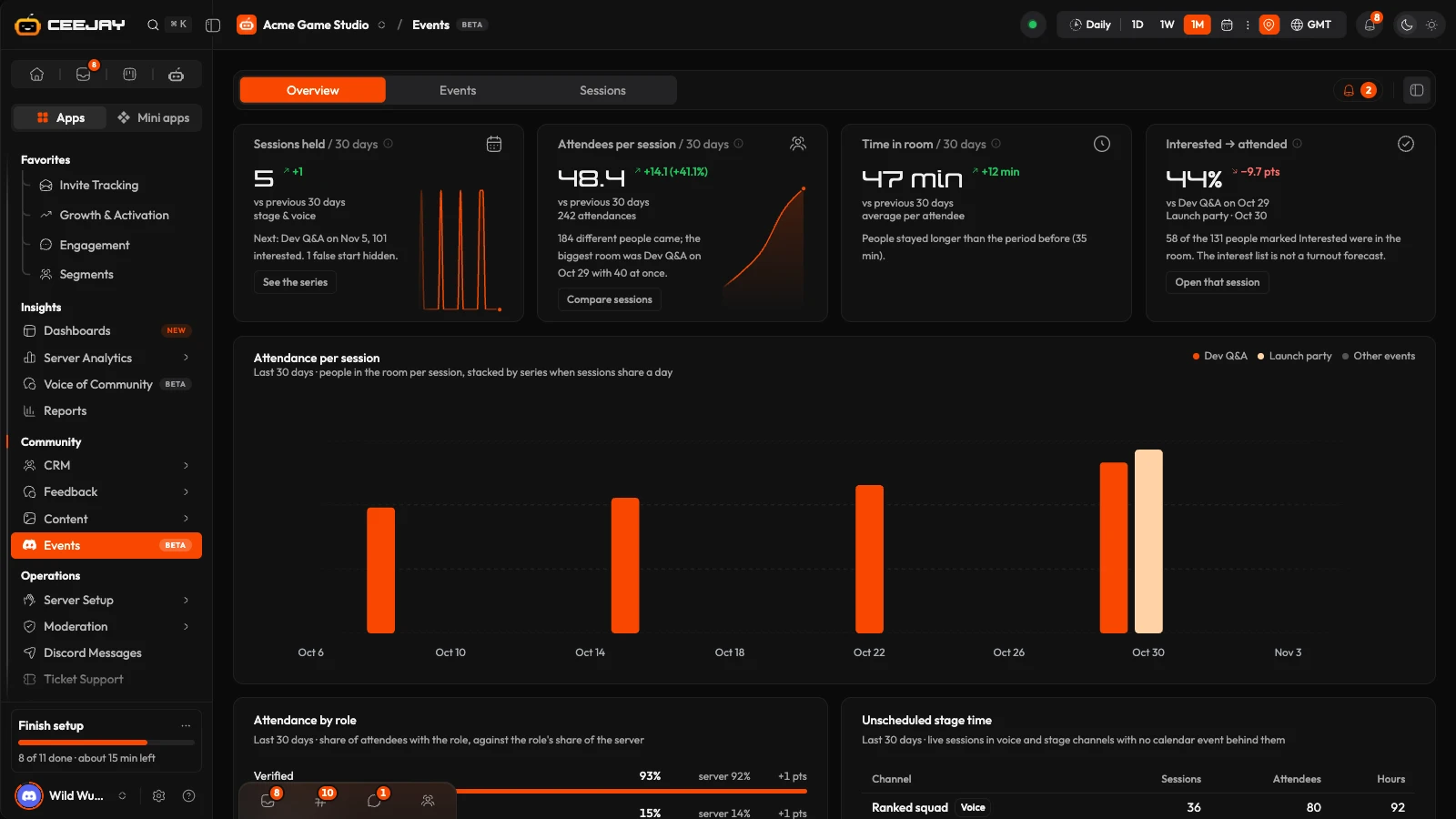
What you see
Go to Community → Events. The page has three tabs, and all of them follow the range picker and the Compare switch in the header:
- Overview: how sessions are doing across the range.
- Events: your Discord scheduled events, with one row for each time an event ran.
- Sessions: every live window in a stage or voice channel, whether or not an event was behind it.
The bell beside the tabs is Needs attention. It lists sessions that are live right now, events cancelled while members were still interested, an upcoming event with its interest figures, a drop in attendance, unscheduled sessions, and short sessions that are hidden from the numbers.
Sessions
A session is a window of time when members were live in a stage or voice channel. A scheduled event that ran three times is three sessions.
- Scheduled sessions are the runs of a Discord scheduled event.
- Unscheduled sessions are three or more members in a stage or voice channel for ten minutes or more with no event running there. A session ends five minutes after the room empties.
- Short sessions are sessions shorter than five minutes with at most one person attending, usually an event started and stopped by mistake. They are left out of every number unless you show them.
Bots and the event's creator are never counted as attendees.
Overview
The Overview has four cards:
- Sessions held: stage and voice sessions in the range.
- Attendees per session: members who joined while a session ran, averaged over the sessions in the range.
- Attendance time: minutes each attendee spent in the channel, averaged over every attendance.
- Interested → attended: attendees divided by the members marked Interested in Discord when the session started, for the latest session that had an interest list. This card does not follow the range.
Below them, Attendance per session stacks attendance by event series. Attendance by role compares the roles of attendees with the roles' share of your server. Unscheduled stage time adds up the live sessions that had no event behind them. Recent sessions lists the newest sessions: open one for who came and what to do next.
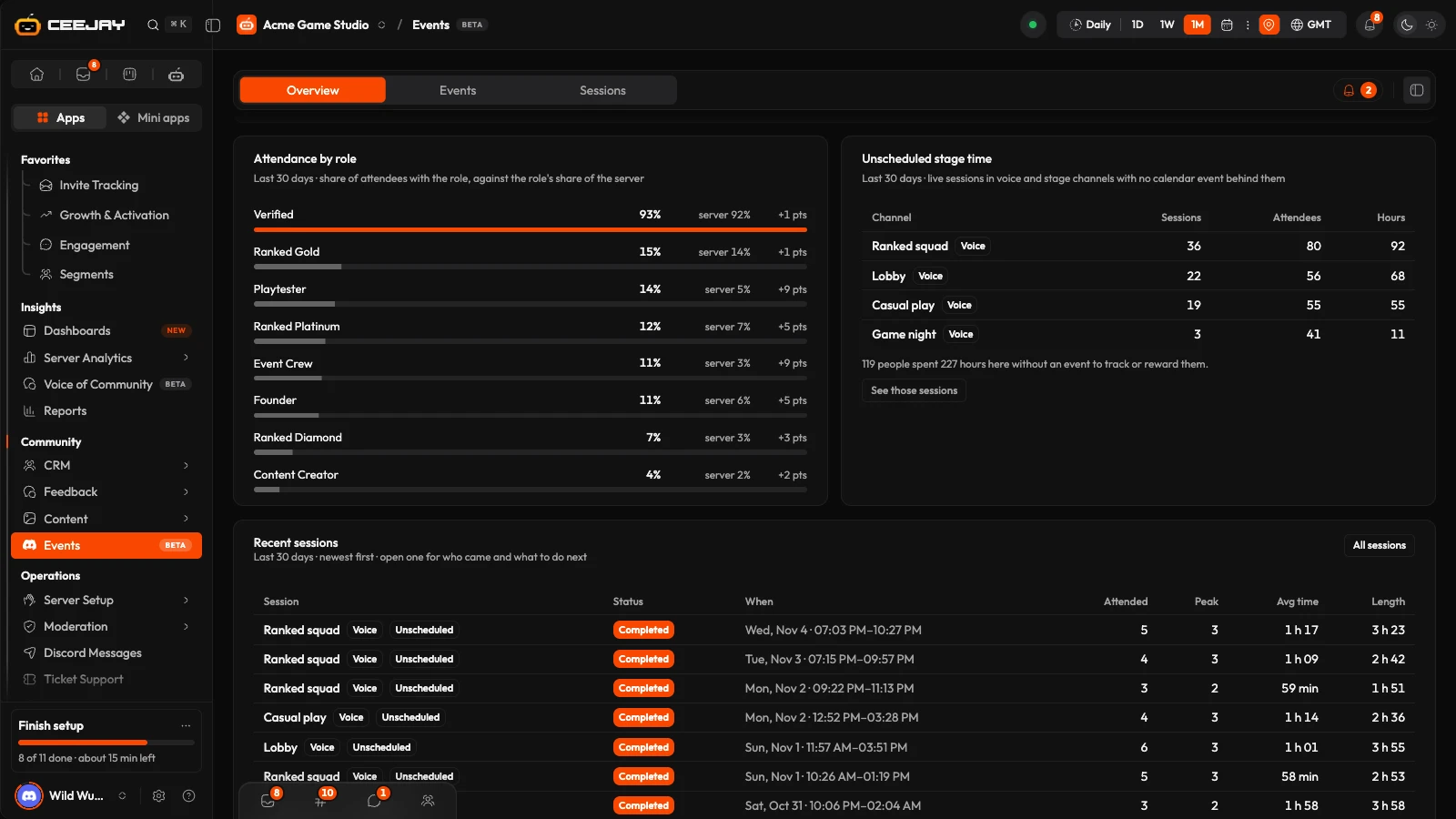
Press the (i) beside a card title for its exact definition.
Events and sessions
On the Events tab, each event series is a card with its Discord cover image, its kind (Stage, Voice or External), how often it repeats and its status (Scheduled, Live, Completed or Cancelled). Search by name, filter by type and status, and switch between cards and a list. A series with nothing in the range but a date ahead is still shown, so what is coming is never hidden. Press a card to see the sessions it ran, then press a session to open it.
The Sessions tab lists every session, newest first, with its channel, status, attendees, length, peak and rewards. Filter by channel, show Only unscheduled sessions, or turn on Show short sessions. Unscheduled sessions open a smaller panel with Attendance and Attendees, and no rewards, because rewards belong to a scheduled event.
Open a session
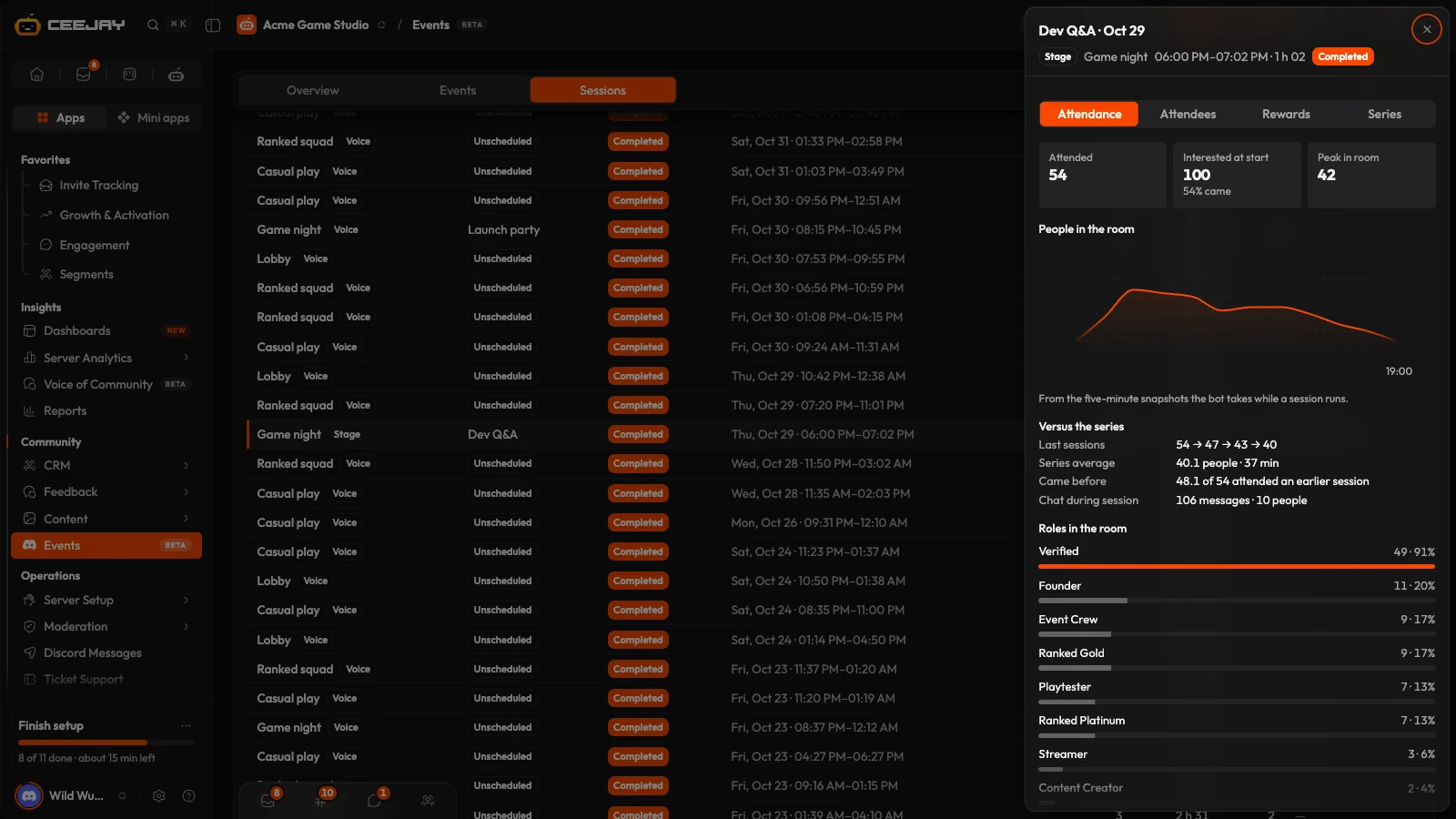
A scheduled session opens in a panel on the right. It has four tabs:
- Attendance: how many attended, how many were interested at the start, the peak attendance, a chart of attendees taken from snapshots every five minutes, how the session compares with the series, and attendees by role.
- Attendees: everyone who joined, longest first, with a First time badge for members who had not been to an earlier session of the series. Each row links to the member's profile.
- Rewards: attendance rewards (see below).
- Series: the series' details and Hide short sessions.
Reward attendance
Open a session and go to its Rewards tab.
Turn on Reward attendance for this series. When a session ends, everyone who stayed the minimum is rewarded. Off means no rewards are issued automatically.
Choose the Minimum attendance time, from 1 to 60 minutes. Anyone under it gets nothing.
Under Rewards for attending, add the rewards: XP, coins, a role, a badge or a code. See the Rewards Engine.
The panel shows how many attendees qualify. To issue rewards for a session that has already ended, press the button that reads Reward and the number of attendees, for example "Reward 12 attendees now", then confirm. Once rewards have been issued the button becomes Run rewards again. Each member is rewarded once per session, so running it again rewards nobody twice. A session that is still live cannot be rewarded until it ends.
Good to know
Events are created in Discord, not on the dashboard. They appear here as soon as the bot detects them. If an event is missing, try a wider range at the top of the page.

