

Rewards Engine
See every reward members can earn in one place, set up rewards once in a pool, and follow each one to the member.
The Rewards Engine is the one system behind every reward CEEJAY gives. A level, a quest, a season place, a sprint place, a badge, a giveaway win, a poll, a form and an event can all give a reward, and they all give it the same way. This page shows what is being given, what happened to each reward, and the pool of rewards you set up once and pick from everywhere.
What you see
Go to Rewards → Rewards Engine. The page has four tabs:
- Overview: how rewards are going across a date range. It follows the range picker and the Compare switch in the header.
- All rewards: every level, quest, place, badge and giveaway that gives something, and what it gives.
- Earned: every reward a member earned and what state it is in.
- Pool: rewards you set up once, shop items you can give for free, roles and reward types.
The bell beside the tabs is Needs attention. Settings at the top of the page opens Settings → Rewards → Rewards Engine beside the page.
Overview
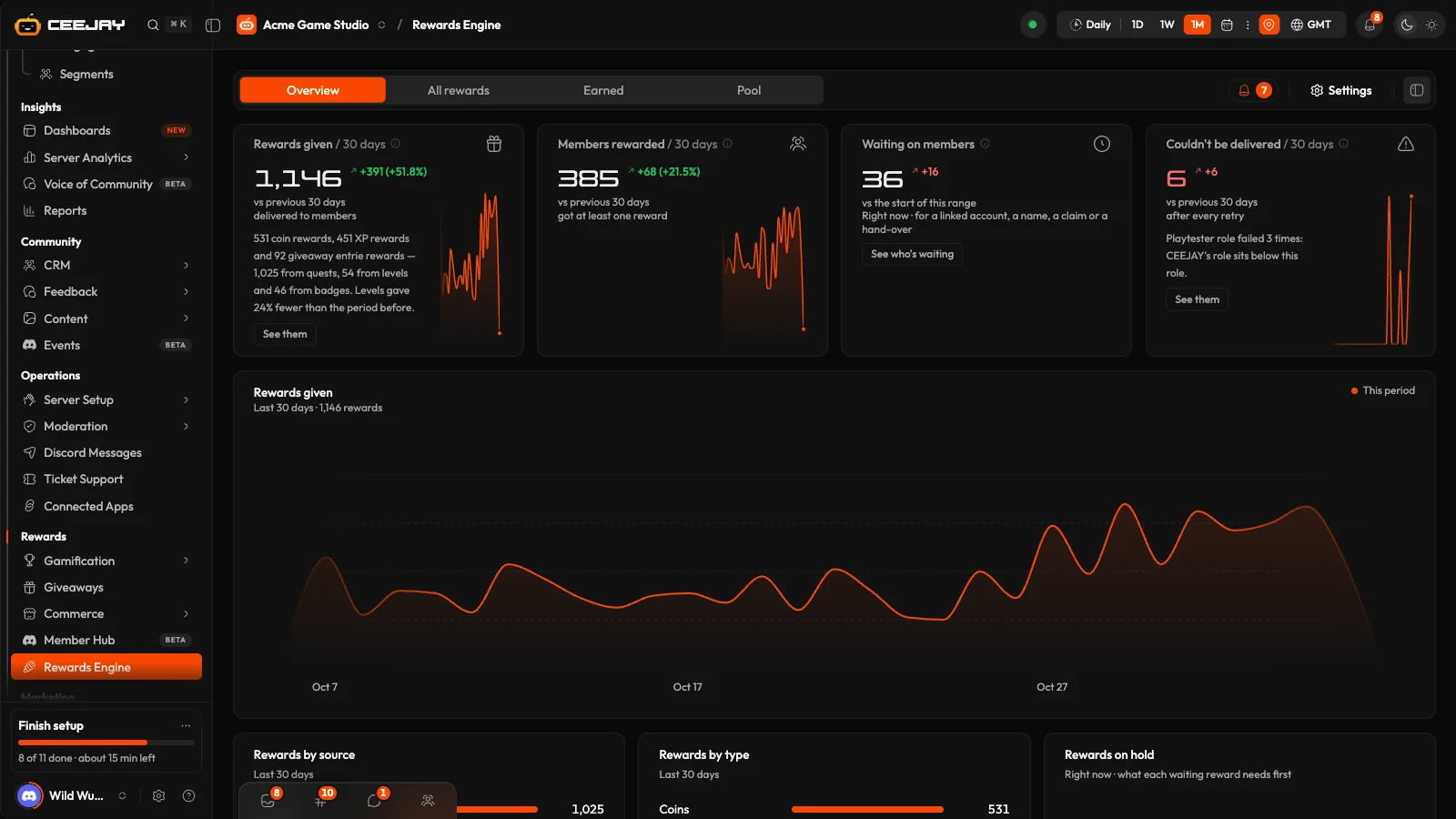
The Overview has four cards:
- Rewards given: rewards that reached members in the range. This is everything the Rewards Engine delivered, plus the XP, coins and roles quests give when they are completed.
- Members rewarded: members who got at least one reward in the range.
- Waiting on members: rewards earned but not received yet, right now. They are held until the member links an account, enters an in-game name or claims them, or until you fulfil them.
- Couldn't be delivered: rewards that failed after every retry in the range. The member sees why in their locker.
Below them, the Rewards given chart shows the range, with the previous period as a dashed line when Compare is on. Rewards by source and Rewards by type split them up. Rewards on hold says what each waiting reward needs first, and Top rewards lists the most given. Press a row to open its source. Press the (i) beside a card title for its exact definition.
How a member gets a reward
Each reward is given once per member for the thing that earned it. Then it follows your delivery settings (see Settings below):
- Give it to them straight away is the default setting.
- Keep it in their locker to claim holds it until the member claims it.
- A reward that needs something from the member, such as their in-game name or a linked account, is always held until they provide it.
- A reward you have to fulfil, such as merch, shows under Needs fulfilment and in Commerce → Shop → Redemptions.
Members see what they have earned, and claim what is waiting, in /inventory.
All rewards
The All rewards tab lists every source that gives something, with the columns Source, Role, XP, Coins, Pool rewards and Members · 30 days. Filter by Source or search. Press a row to open its rewards in a panel, where you can add, change and remove them. Press Add a reward to give a reward to a source that has none yet.
Every builder has the same reward section. It has Role, XP and Coins fields, then More rewards with Add from the pool. Set up a new reward in the pool adds a reward to the pool and selects it immediately. Each change saves on its own. Removing a reward asks you to confirm, and members who already earned it keep it.
Earned
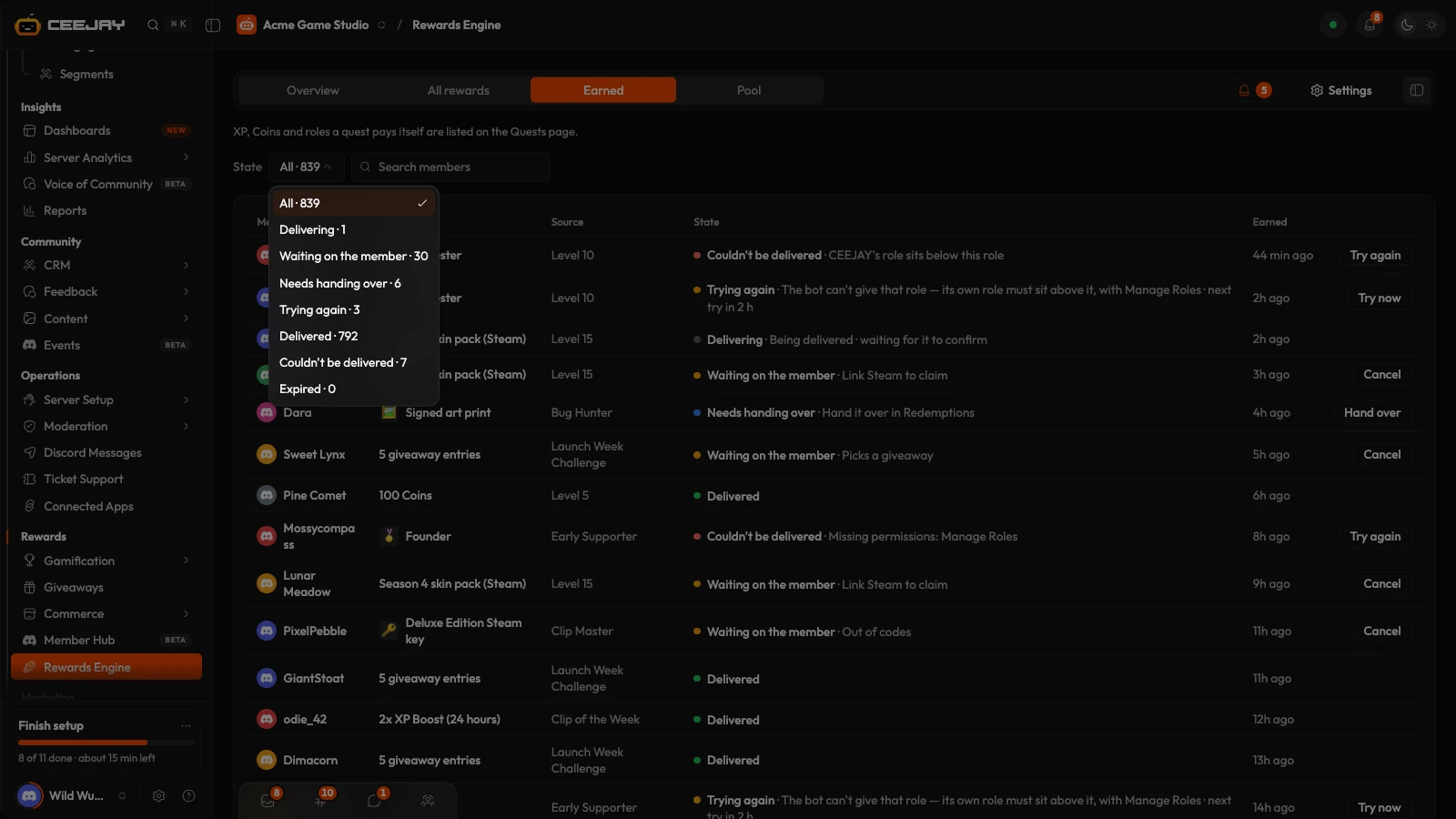
The Earned tab is the log of every reward a member earned. Use State to narrow it:
- On its way
- Waiting on the member
- Needs fulfilment
- Trying again
- Delivered
- Couldn't be delivered
- Expired
Search by member. A row has one button for its state: Try again for a failed reward, Try now for one that is trying again, Cancel for one waiting on the member (it asks you to confirm), or Fulfil, which opens Redemptions.
Pool
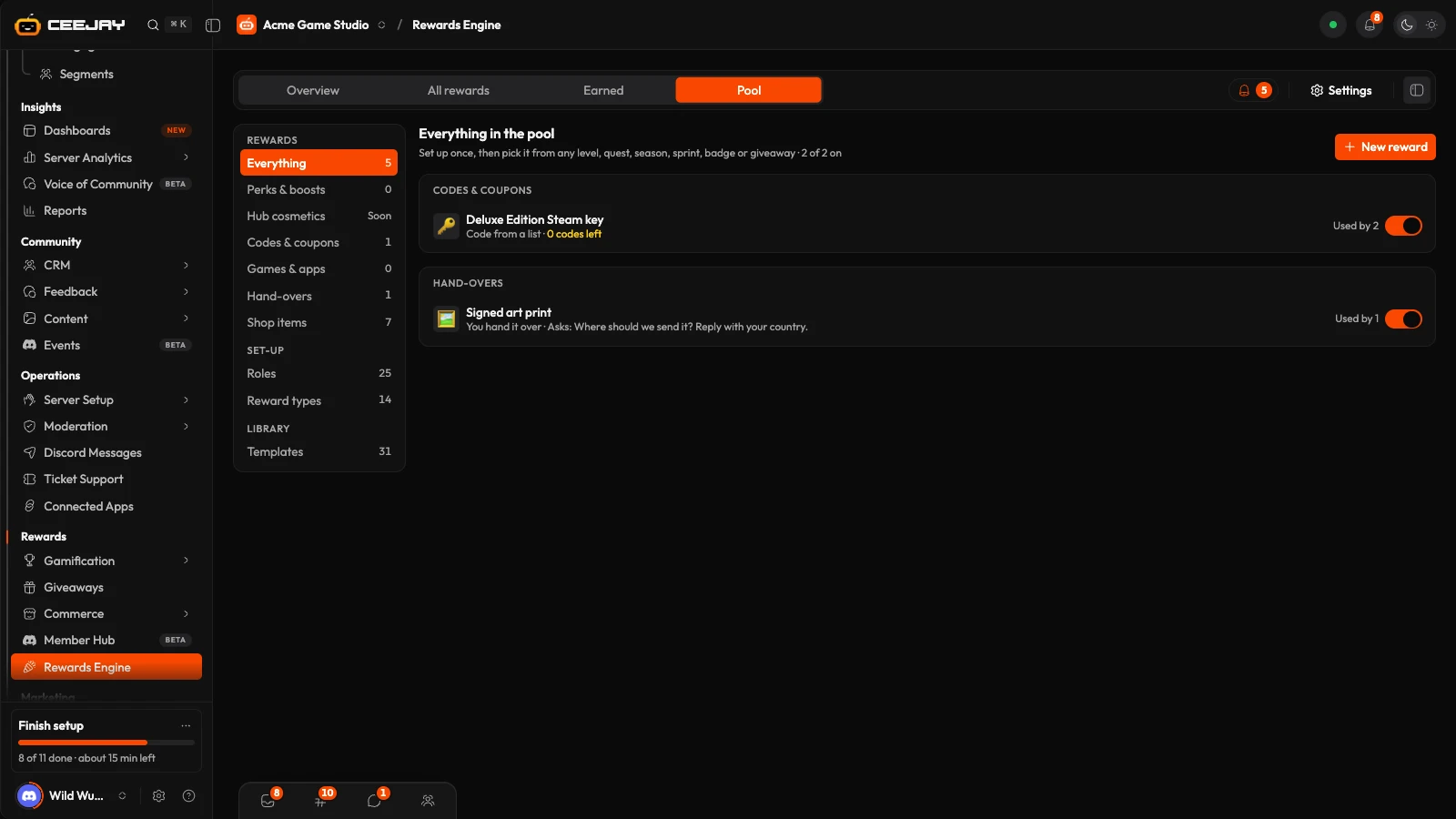
The Pool tab lists rewards you set up once and then pick wherever a reward is given. A change in the pool applies everywhere the reward is used. The sections are:
- Everything, and then by kind: Perks & boosts, Hub cosmetics (coming soon), Codes & coupons, Games & apps and Manual fulfilment.
- Shop items: items in your shop are added to the pool automatically, and a reward given from the pool is free for the member.
- Roles: which Discord roles can be given as rewards. A role CEEJAY cannot manage is marked Can't be given, and a role can be limited to the first members who get it.
- Reward types: switch off a type of reward you do not want anyone to set up.
- Templates: ready-made rewards to add and change.
On a code reward, See who got which code opens Given codes, the list of keys and gift codes issued from a form, a quest, the shop or a giveaway, with the member who got each one and when. Download CSV matches keys to players, and with your game saved under CRM → Account Linking an On Steam column shows which members now own it. Pick the Platform (Steam, Epic Games or Xbox) on a key list and members see its logo beside their key.
Pool reward types include an XP boost, a streak saver, a quest task skip, giveaway entries, a mystery box, priority support, a badge, a code from a list you upload, a discount code, a call to your own API, a game server command, a Steam item and an item you fulfil yourself.
Settings
Go to Settings → Rewards → Rewards Engine. Changes save from the bar at the bottom of the page.
- Giving rewards: Delivery, either Give it to them straight away or Keep it in their locker to claim. A single reward can override this setting.
- Claiming: Unclaimed rewards wait for a number of days, 90 by default, then expire. Finished rewards stay in the locker for a number of days, 30 by default.
- Reward posts: Post rewards in a channel puts each role, item or code in a channel of your choice as it is delivered, or Don't post. XP and coins are not posted. CEEJAY does not message members about rewards.
- Alerts: Failed deliveries, shown in the bell and in an Alert channel if you pick one, and Manual deliveries for a reward that needs fulfilment.
- Delivery: Keep trying a failed delivery for a number of days, 3 by default, for your API, game servers and stores. Game servers and stores are shared with the shop.
Good to know
Removing a reward from a level, quest, poll or any other source only stops new members from getting it. Members who already earned it keep it, and anyone still waiting for it still gets it.

