

Learn CEEJAY
The setup checklist, tours, guides and shortcuts in one place.
Learn CEEJAY brings together what you and your team need to get started. Every team member can open it, whichever pages their team gave them.
Open it from Learn CEEJAY in the Help menu, the question mark beside Settings at the bottom of the sidebar.
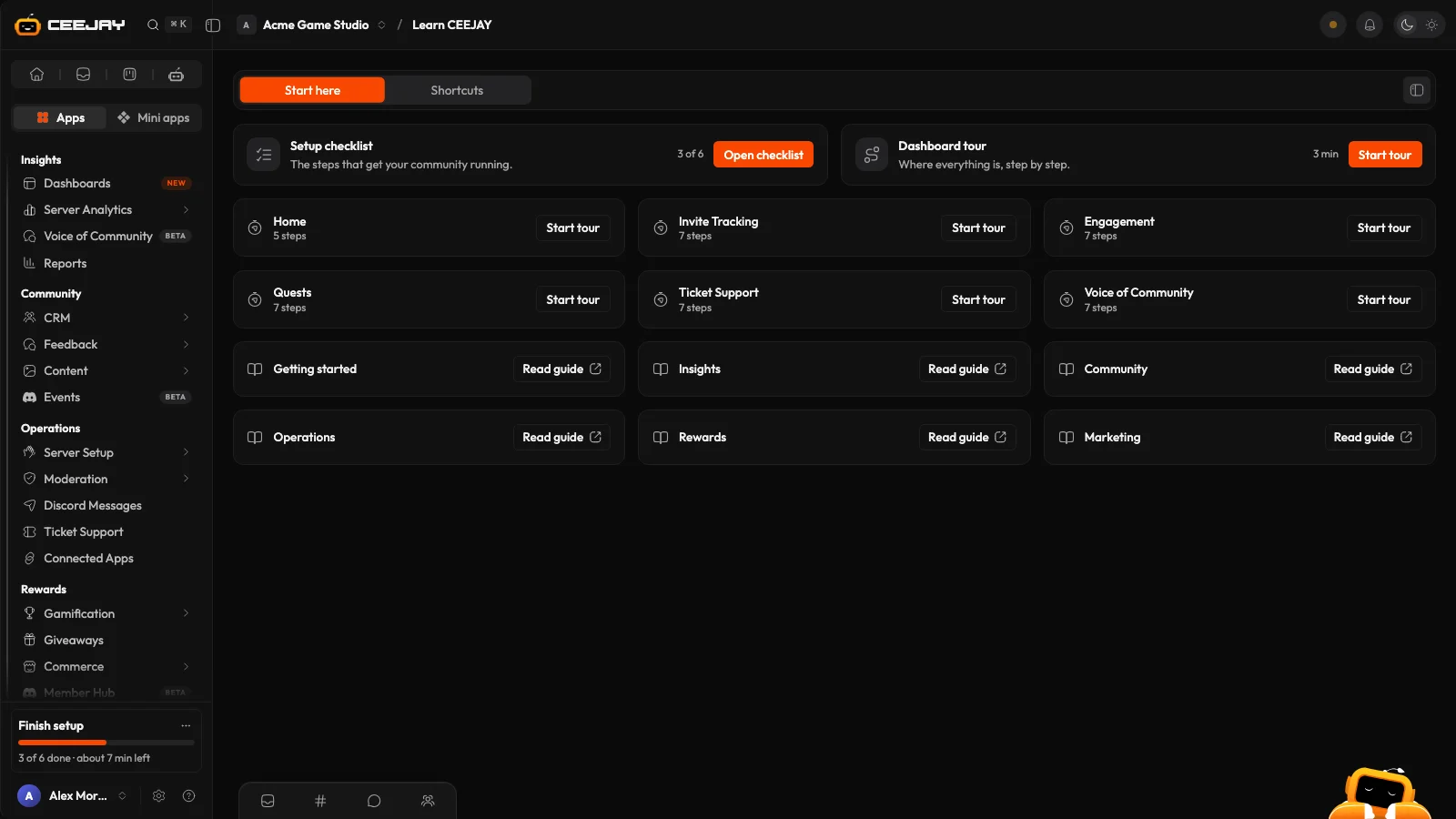
Start here
- Setup checklist shows how far your community has got and opens the checklist. The card no longer appears once the checklist is finished. See Set up your community.
- Dashboard tour walks you through the sidebar, Help and your setup checklist. See The dashboard tour.
- Guides open in a new tab, starting with Getting started and then one for each part of the sidebar.
Shortcuts
The shortcuts and tools that save the most time, in four groups: Work faster, Read faster, Work as a team and Connect it all. Each card says how to do it. Try it opens the right page, or completes the action for you where that is possible.
Shortcuts for pages you cannot open are left out.

