Achievements
Create badges that members earn automatically, and design the card CEEJAY posts when one is earned.
A badge recognises something a member did: a level reached, a number of messages, a role held. You decide what earns it, how rare it is and which rewards it grants. CEEJAY awards it when a member qualifies. It can also post a card in Discord when a quest awards the badge, or when you award it by hand.
What you see
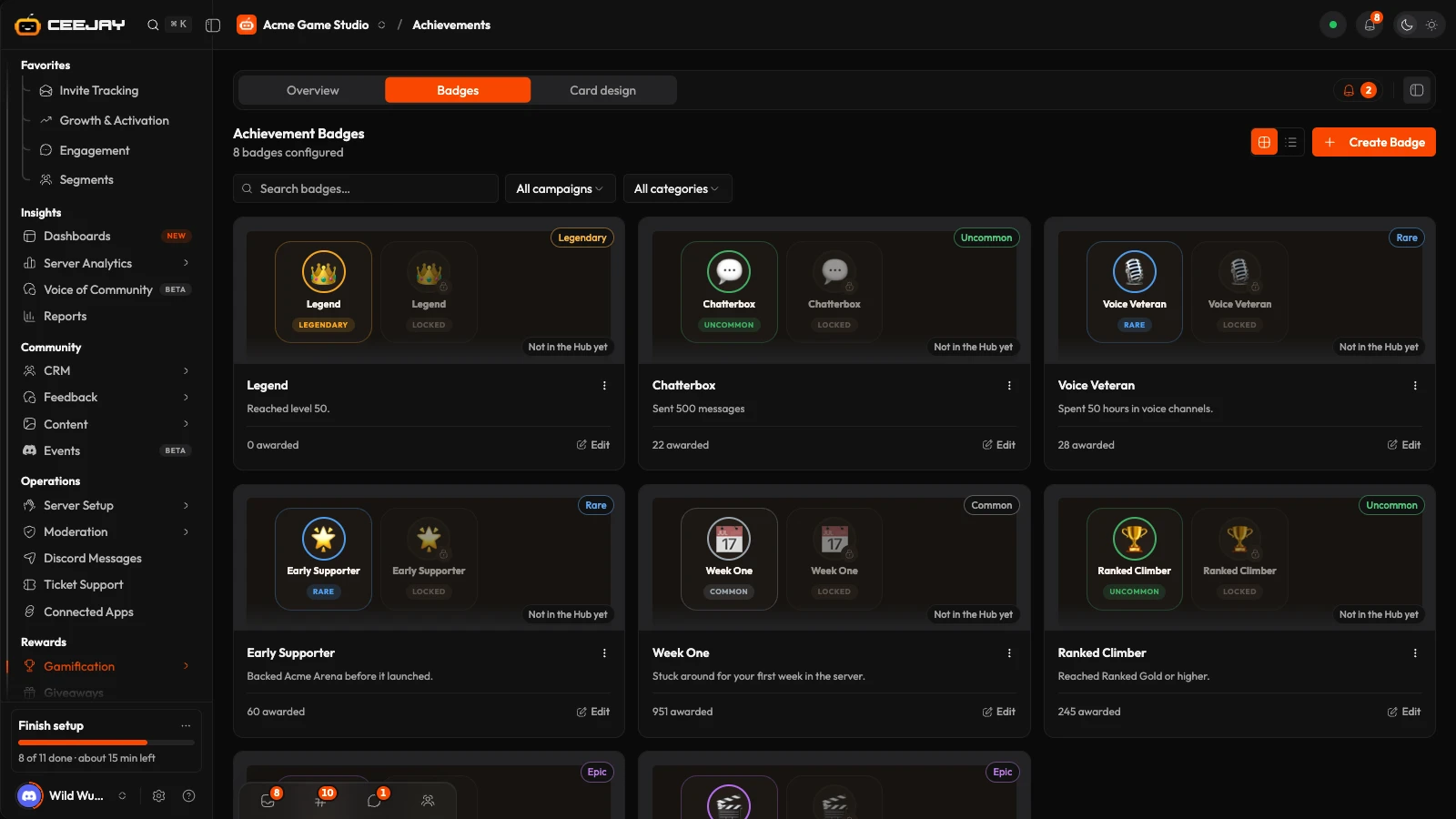
Go to Gamification → Achievements. The page has three tabs:
- Overview: how badges are doing. It follows the range picker and the Compare switch in the header.
- Badges: all your badges.
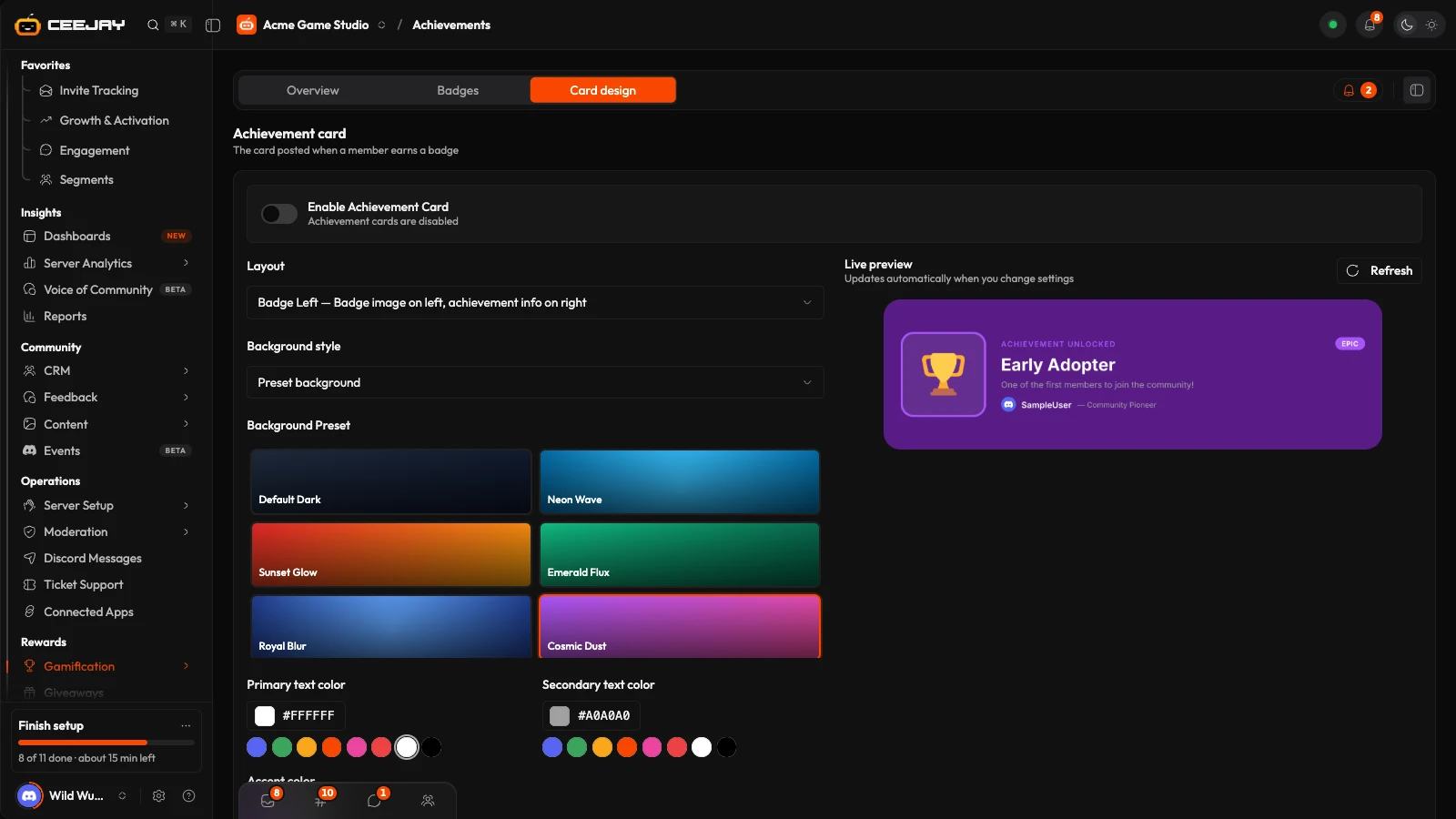
- Card design: the card CEEJAY posts when a member earns a badge.
The bell beside the tabs is Needs attention.
Overview
The Overview has four cards:
- Badges earned: badges awarded in the range.
- Members with a badge: members holding at least one badge, as a share of your members, right now.
- Rarity check: badges whose rarity matches the share of members who hold them. Legendary is under 1%, epic under 5%, rare under 15%, uncommon under 40% and common is 40% or more. Only badges held by at least 10 members, in a community of 100 or more, are checked, because below that the share moves too much to judge.
- Never earned: badges nobody has earned yet.
Below them, How many badges members hold shows the spread across your members, and Most earned lists the badges held by the most members. Press the (i) beside a card title for its exact definition.
Create a badge
On the Badges tab, press Create Badge. Choose Start from scratch, or Use a template for a ready-made badge with its emoji, rarity and award rule.
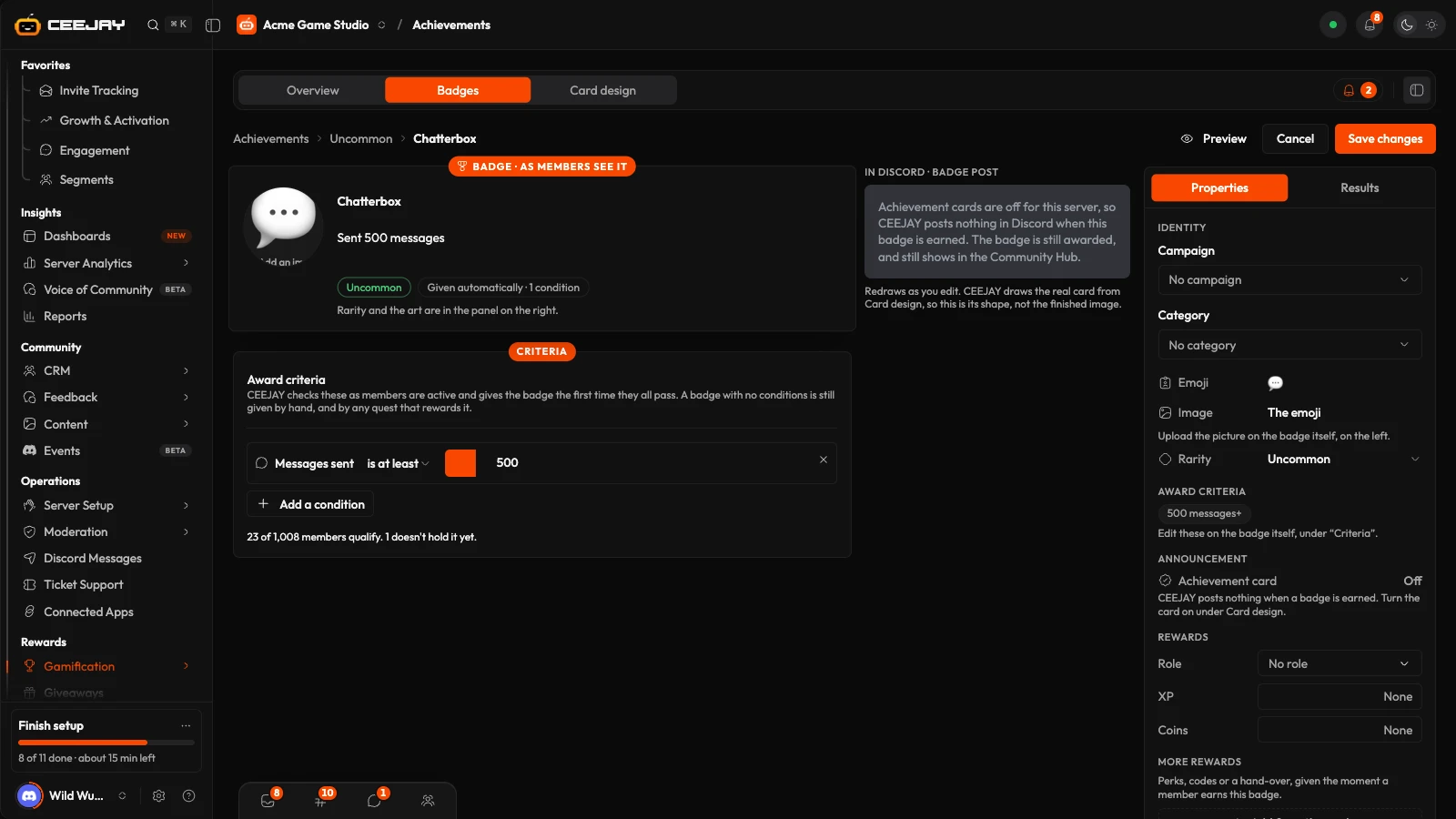
The builder shows the badge as members see it. Type the Name (Name the badge) and a one-sentence description of what the member did to earn it. Press the badge art to set an Emoji or an Image.
In the panel on the right, set the Rarity: Common, Uncommon, Rare, Epic or Legendary.
Under Award criteria on the left, press Add a condition for each rule. Examples are a level, a number of messages sent, minutes in voice, a daily streak, a role or days in the server. CEEJAY checks the conditions as members are active and awards the badge the first time they all pass.
Press Create badge.
A badge with no conditions is not earned automatically. It can still be awarded by hand and by any quest that rewards it.
Give it to members who already qualify
A badge is awarded only to members who qualify after it is created, unless you choose to backfill it. When you save a new badge, or change a badge's conditions, a checkbox beside the save button offers to award the badge to the members who already qualify. It shows how many that is, and it is on by default. No cards are posted for these members.
Rewards
In the panel on the right, Rewards sets what a member receives when they earn the badge: a Role, XP or Coins, or any other reward from the pool in More rewards. Save the badge first to add rewards. See the Rewards Engine.
Give a badge by hand
Open a saved badge and go to its Results tab. Press Give badge, search for the member and add an optional Reason, shown on the award. A member who already holds the badge cannot be awarded it again. The card is posted in the Announcement channel from the quest settings, or in the server's system channel when none is set. With the card switched off, CEEJAY posts a short line instead. The message you get afterwards says whether it was posted. The Results tab also has a Qualifying members card. It counts the members who meet the badge's conditions but do not hold it yet, and Give it to them awards it to all of them without posting cards. It also lists who holds the badge, with the reason, and shows when it was first and last awarded.
Card design
Open the Card design tab. Enable Achievement Card switches the card on or off, and it starts off. When it is on, CEEJAY posts the card when a quest awards a badge, and when you award a badge by hand. A badge that members earn from its Award criteria is awarded without a card. When the card is off, no card is posted.
You can set the Layout, the Background style (a preset, a solid colour or a custom image), the Fallback color, the Card corner radius and an overlay with its Opacity. The Live preview redraws as you change settings, and Refresh redraws it again. Save Achievement Card applies your changes and Reset discards them.