

Community profile
Your community's name, sector, language, goals and description, and how to change them.
Your community profile is the information you entered during setup, including your sector, language and goals. CEEJAY bases its suggestions on your sector. You can change the profile at any time in Settings.
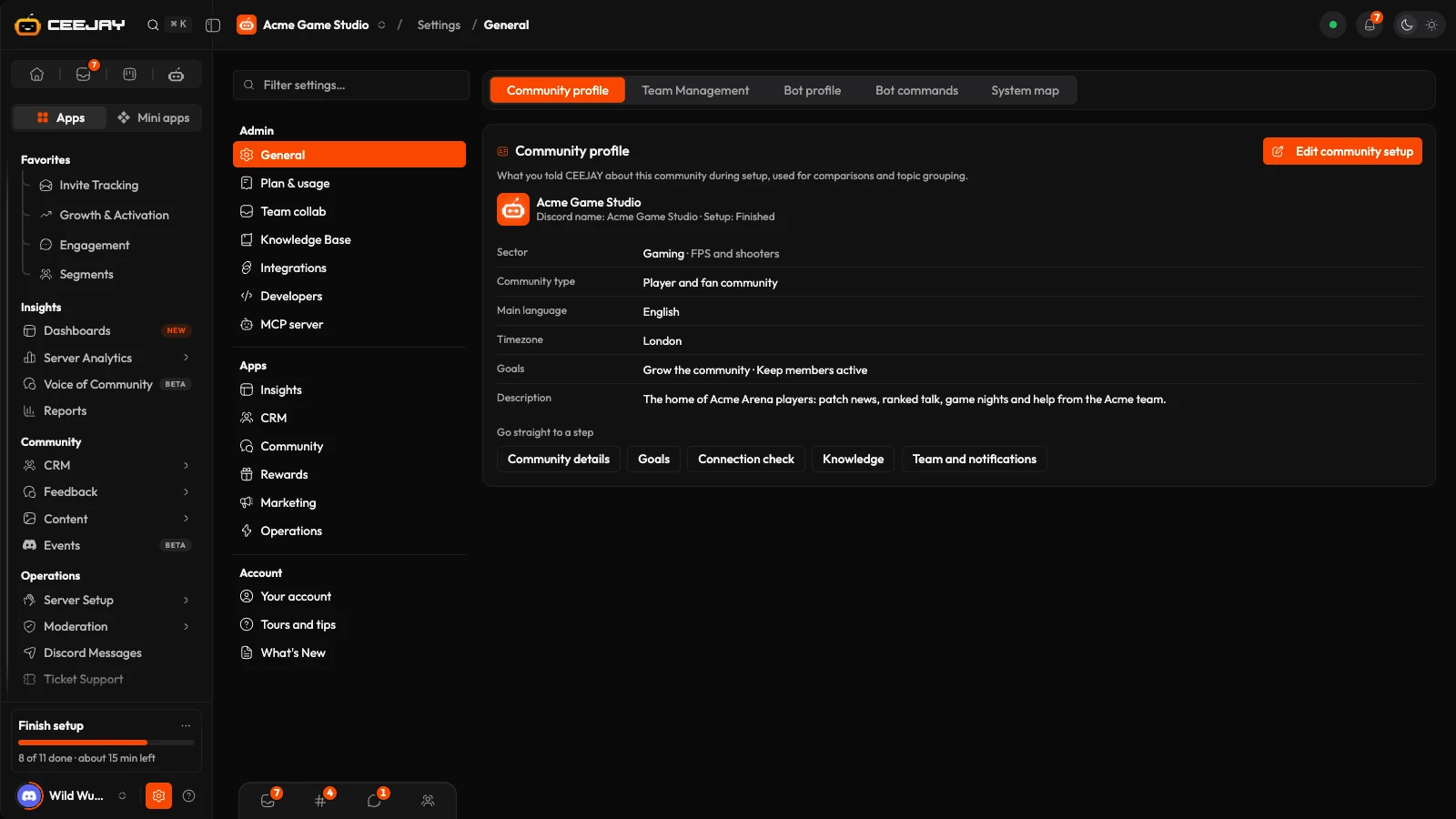
What you see
Go to Settings → General → Community profile. The page has two cards:
- Community profile shows the icon from your Discord server and the fields Display name, Sector, Genre or niche, Organisation, Community type, Main language, Timezone and Description. Organisation only appears if the community is in an organisation, or you own or administer one.
- Goals lists the goals you can pick.
Press Connection check at the top of the page to confirm the bot is in your server and has the permissions it needs. If setup isn't finished, the card shows the step you reached and a Finish setup button.
Knowledge sources and team access have their own pages in Settings: Knowledge base and Team management.
Change the profile
Change any field, or pick different goals.
A bar appears at the bottom of the page. Press Save changes to keep your edits, or Reset to go back to what was saved.
Organisation saves as soon as you select it.
Good to know
Only the server owner, admins and full-access roles can change the community profile. Everyone else has view-only access. Empty fields show Not set.
What each value is used for
| Setting | Used for |
|---|---|
| Display name | The name shown for the community on My Communities. Your Discord server name does not change. |
| Sector | Starts the template gallery on your industry, picks the starting set of categories, shows on your My Communities card and gives Voice of Community context when it groups topics. |
| Goals, Genre or niche, Community type, Main language, Timezone and Description | Saved with the profile. CEEJAY does not use them anywhere else. |
You can pick up to three genres or niches, from a list that follows the sector, and up to three goals. The goals to choose from are Grow the community, Keep members active, Support members, Reward and engage, Understand what members say and Report to stakeholders.
The timezone here is only saved with the profile. Notification emails follow the timezone each person picks on the Notifications page.
If the card says it could not load the profile, press Try again. If it says Community profiles aren't switched on for this workspace yet., the profile is not available for your workspace.

