

Message backfill
Import your server's message history so charts start full, and follow the import while it runs.
When CEEJAY joins a server it only sees messages sent from then on. Message backfill imports the history Discord already holds, so your charts, heatmaps, keywords and member activity start with real history instead of an empty page. It is safe to run more than once.
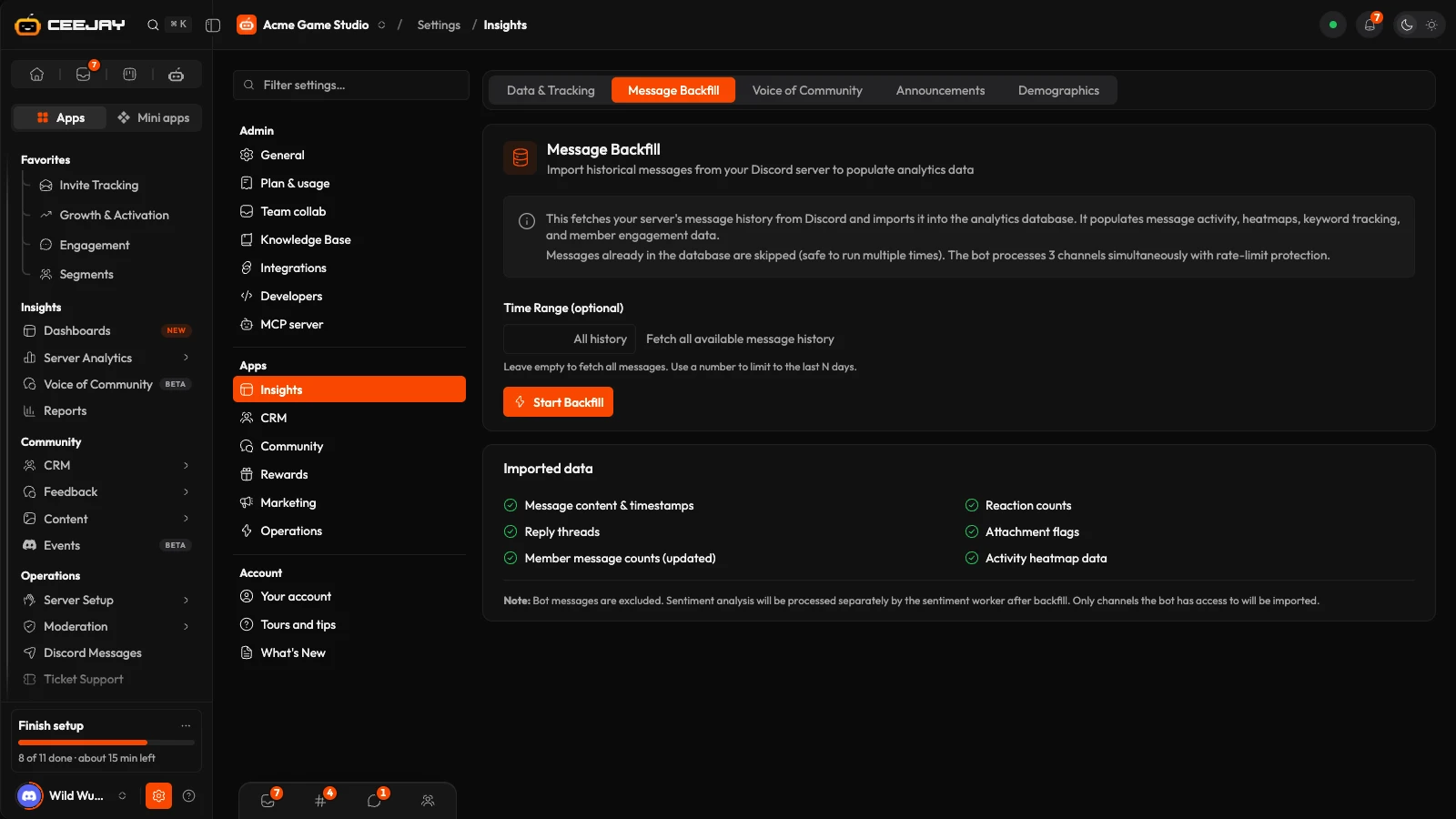
What you see
Go to Settings → Insights → Message Backfill. The page has two cards:
- Message Backfill: a short explanation, the Time Range (optional) field and Start Backfill. While an import runs, the same card shows its progress.
- Imported data: what the import brings in.
Import your history
Go to Settings → Insights → Message Backfill.
Leave Time Range (optional) empty to import all the history the bot can read, or type a number of days (1 to 3650) to import only the last that many days. Next to the field it says Fetch all available message history or Last and the number of days.
Press Start Backfill. A message says Backfill Started.
Watch the card, or leave. The import carries on in the background, and the page picks up its progress when you come back. When it finishes, CEEJAY adds a Message backfill finished notification to your bell. If you are on the page, the card shows Backfill Complete with how many new messages came from how many channels.
While it runs, the card shows Backfill in progress with the channel being read, a progress bar and six counters:
| Counter | What it shows |
|---|---|
| Channels | Channels finished out of the channels the bot can read. |
| Messages Found | Messages read so far. |
| New Messages | Messages added to your data. |
| Duplicates skipped | Messages CEEJAY already had, left as they were. |
| Errors | Channels where reading stopped on an unexpected error. The import carries on with the rest. |
| Elapsed | Time since it started. |
When it is done, Run Another Backfill clears the card so you can start again.
What gets imported
- Message text and timestamps.
- Reaction counts, and who reacted with which emoji.
- Reply threads, and whether a message had an attachment.
- Member names and pictures, so members show up by name.
- Member message counts, updated from the imported messages.
- Activity heatmap data.
The import reads text and announcement channels that the bot can open: it needs the Discord permissions View Channel and Read Message History there. Messages from bots are left out. Voice channels, forum posts and threads are not imported, and neither is anything that is not a message, such as joins, leaves or voice time.
Channels you have left out of analytics stay left out. They are imported, but hidden everywhere: see Bot settings.
Run it again, or stop it
- It is safe to repeat. Messages already in your data are skipped, so a second run only adds what is missing. To go further back, run it again with a larger Time Range (optional) or none.
- Only one import can run at a time. Starting a second one for the same community gives Backfill Failed with Backfill already in progress.
- To stop it, press Stop Backfill. A message says Stopping Backfill and it ends after the current batch. The card shows Backfill Stopped with what was imported so far, which stays. Start again later and it carries on from what is missing.
If the bot restarts while an import runs, the import ends and the card shows nothing running. Start it again: what was imported is skipped.
Good to know
Importing history fills the charts that count messages. It does not make Voice of Community read older history: sentiment and topics are worked out for messages from the last 3 days and for new messages as they arrive, in the channels you track. To analyse the last 30 days of one channel, use the clock button on that channel's row in Settings → Insights → Voice of Community. It is labelled Run a 30-day backfill and shows how many messages are backfillable. See Voice of Community.
If it does not start or looks wrong
- Can't reach the bot right now, so a backfill can't start. Try again in a few minutes. The bot is restarting or offline. Press Try again on the card.
- Backfill Failed with Bot is not in this server means CEEJAY has been removed. Add it again: see Add the bot.
- A finished import that reports one or two channels, or no new messages, usually means the bot can only read a few channels, or the range holds no messages. Check the bot's channel permissions in Discord and the Time Range (optional).
More help is in Troubleshooting.

