Roles and Channels
Compare your roles and your channels by size, messages, voice time and activity.
Roles & Channels has two tabs. Roles shows how each Discord role in your server is doing. Channels shows where the talking and the voice time happen. Both follow the range picker in the header. They do not take the channel and role filters, so there is no funnel icon on this page.
Roles
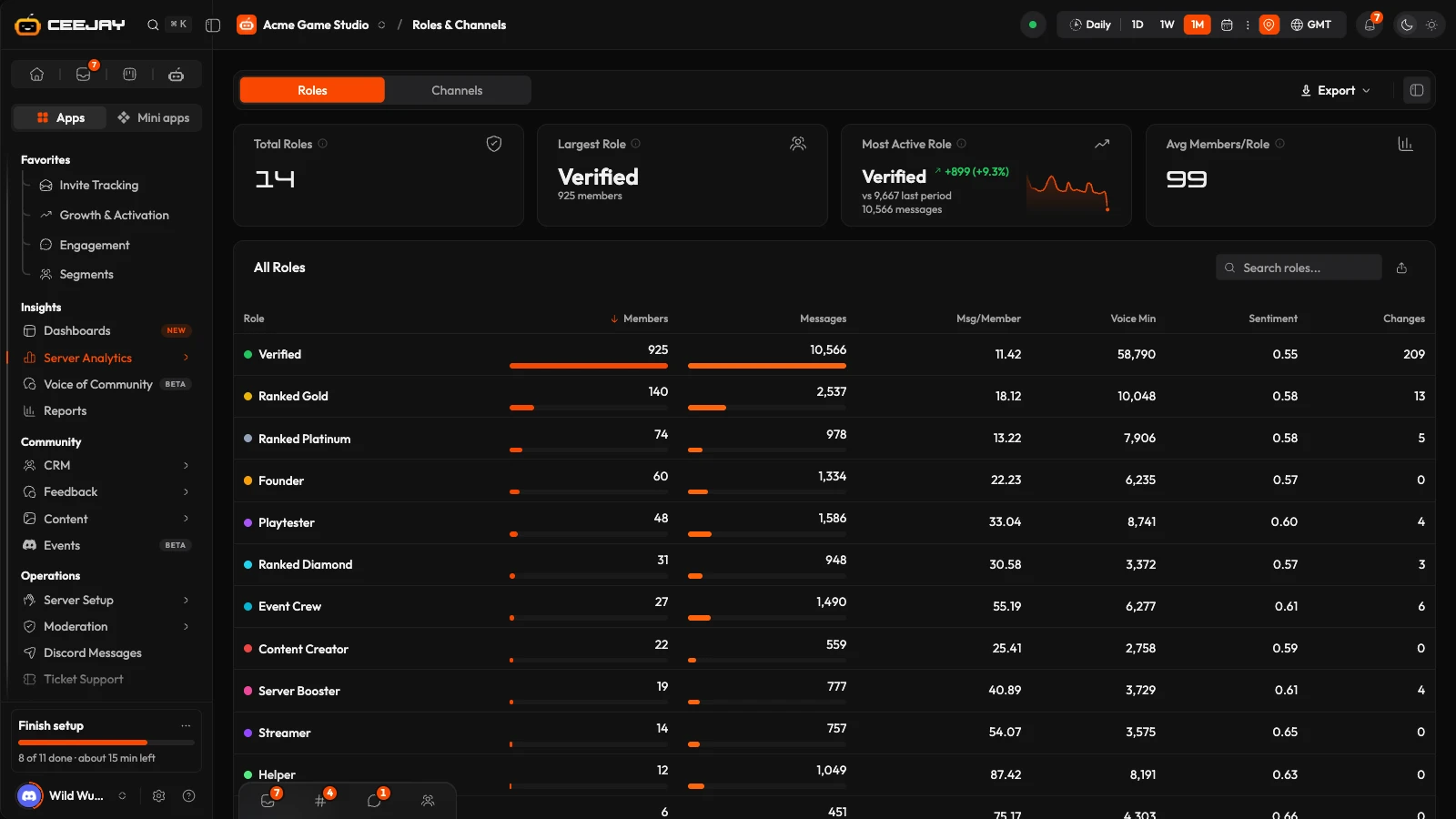
The cards
| Card | What it shows |
|---|---|
| Total Roles | How many roles your server has. |
| Largest Role | The role with the most current members. The line under its name shows how many. |
| Most Active Role | The role whose members sent the most messages in the range. The line under its name shows how many, and the small chart is that role's messages over time. |
| Avg Members/Role | Members per role, on average. |
The All Roles table
One row per role, with a coloured dot for the role's colour. Press a column heading to sort by it, press it again to flip the order. Type in Search roles... to find a role. The table shows 12, 25, 50 or 100 roles per page.
| Column | What it counts |
|---|---|
| Members | Members who hold the role now. The bot counts each role's members about once a day, and again when it restarts, so a recent change can take a day to show. |
| Messages | Messages sent in the range by current members who hold the role. |
| Msg/Member | Messages divided by the role's members. |
| Voice Min | Voice minutes in the range for members who hold the role. |
| Sentiment | The average sentiment score of the role's members, from 0 to 1, higher meaning more positive. It reads the score stored on each member's profile, so it is not limited to the range and it is not the same measure as the positive share on Voice of Community. A dash means there is nothing to average: the role's members sent nothing in the range, or none of them has a score yet. |
| Changes | How many times the role was added to or removed from a member in the range. Only the ten roles with the most changes are counted, so every other role shows 0. |
A member with several roles counts towards each of them, so role messages do not add up to the server total. Only current members count: someone who left no longer adds to any role.
Two roles with the same name cannot be told apart in messages, voice or sentiment. Their rows say "Shares its name with another role".
On phones the table shows the main columns and keeps the role name pinned.
Channels
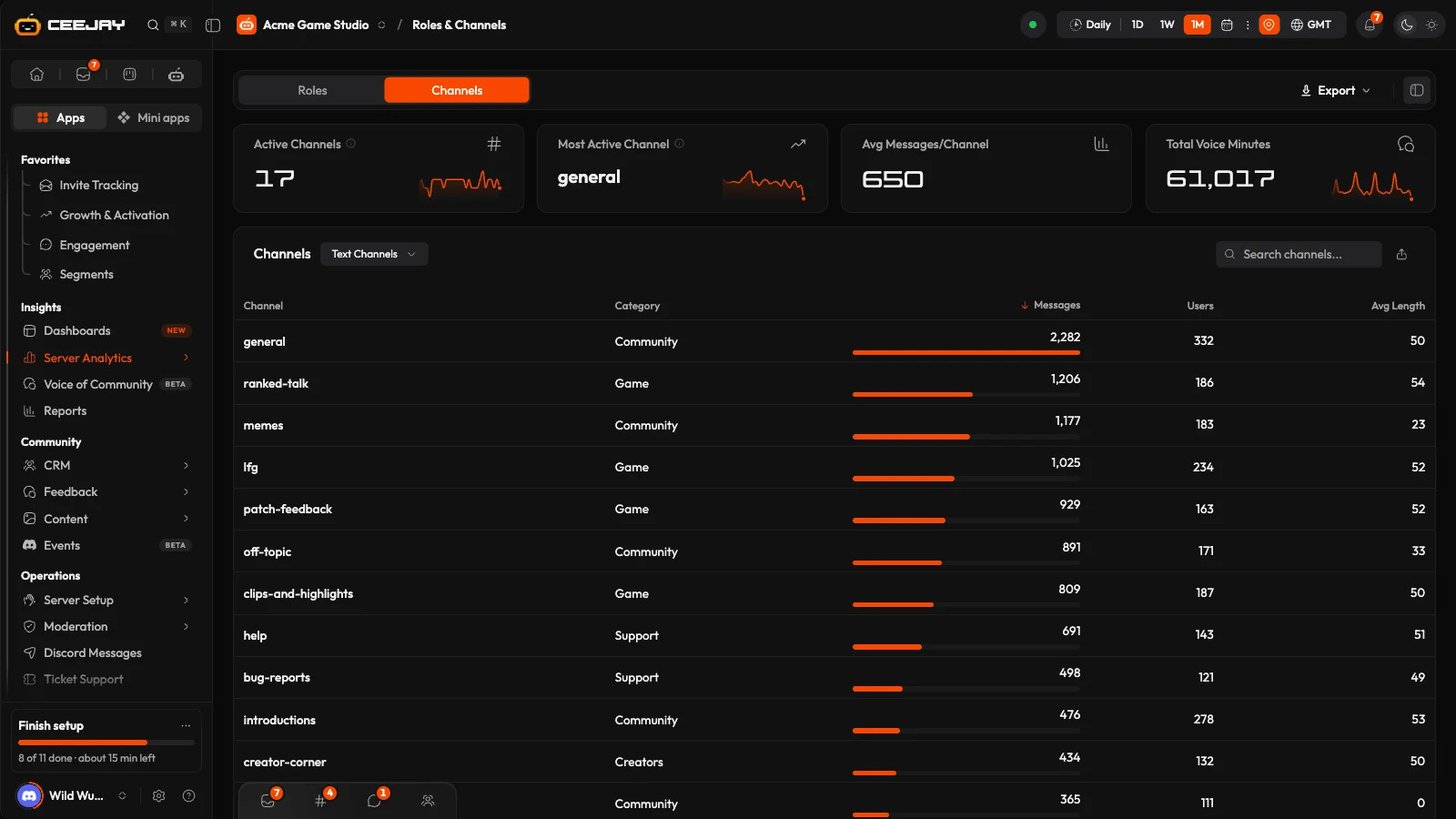
The cards
| Card | What it shows |
|---|---|
| Active Channels | Channels, threads and forum posts with at least one message in the range. Its info tooltip shows how many text and voice channels the server has. |
| Most Active Channel | The channel with the most messages. Its info tooltip shows the message count. |
| Avg Messages/Channel | Messages divided by active channels. |
| Total Voice Minutes | Minutes spent in voice and stage channels in the range. |
Channels you hide from analytics are left out of every number here. Change that in Settings → Insights → Data & Tracking.
The Channels table
A menu above the table switches between Text Channels and Voice / Stage. Search channels... filters the list, and the column headings sort it.
- Text Channels: Channel, Category, Messages, Users (members who posted) and Avg Length (average message length in characters).
- Voice / Stage: Channel, Minutes, Users and Sessions.
The cards count every channel, but the table lists only the busiest: 50 text channels and 30 voice or stage channels.
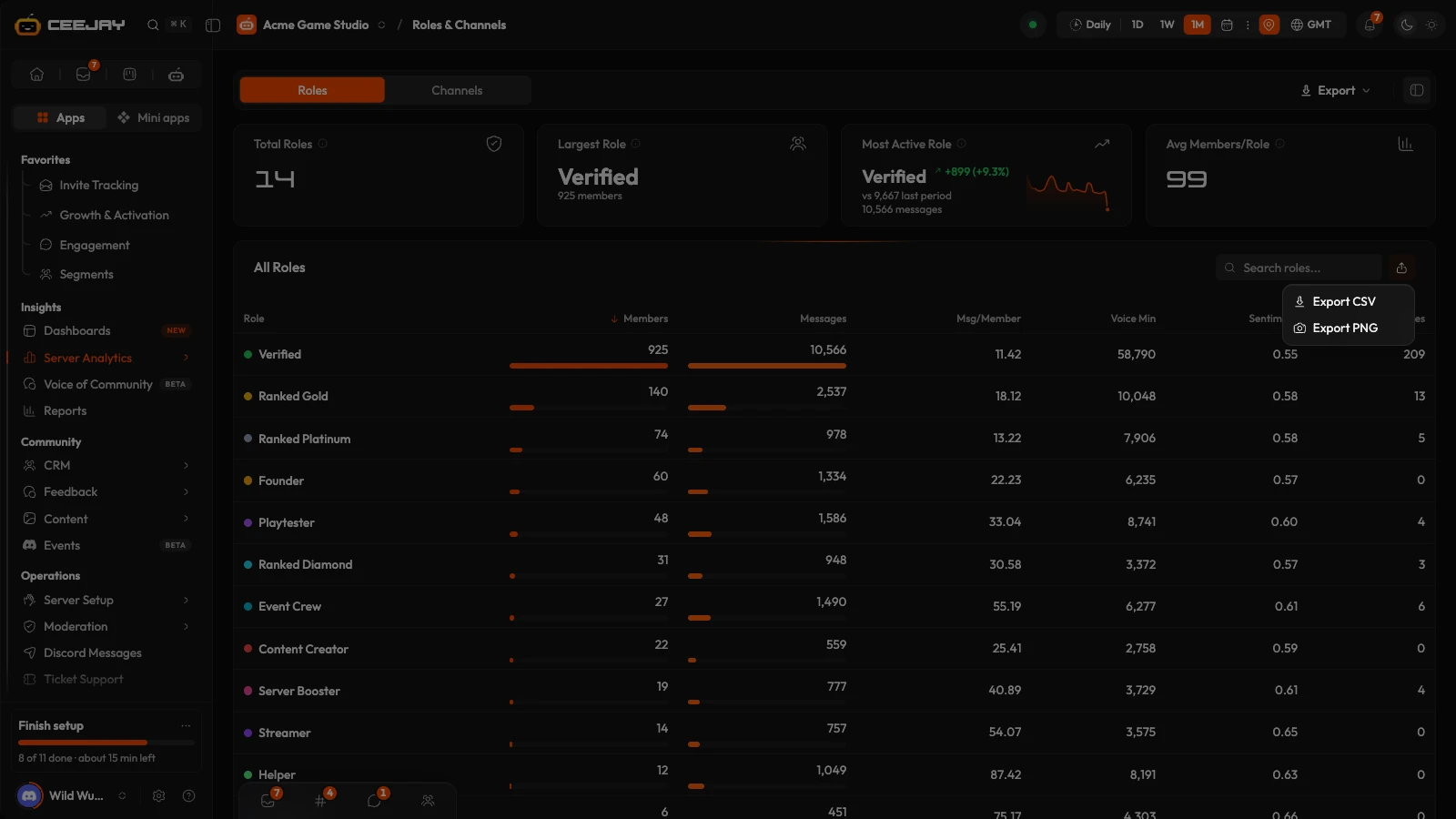
Export
Export from the icon above each table. Export CSV saves every row that matches your search, in your sort order, and Export PNG saves a picture of the table.